 Channel Manager
 Direct Booking Engine
 Metasearch
 Insights
 Dynamic Revenue Plus
 Channels Plus
 Property management system
 Payments
 Guest Engagement
 Mobile App
 Website Builder
 Hotel App Store
 Booking Channels
 Partner Programs
 Customer Stories
 Blog
Blog Templates
 eBooks
 Events

 English
 Reading time 5+ mins

What is a Hotel PMS?
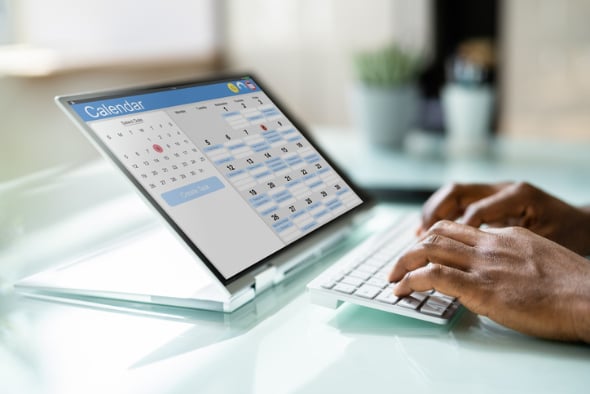
A property management system (PMS) is software that helps small hotels manage daily operations like bookings, guest check-ins and check-outs, room availability, payments, and communications—all from one central place. It automates many of the administrative tasks that front office staff are responsible for, increasing front desk efficiency and improving the guest experience.
It allows you to carry out all the day-to-day operations of your property in one place, such as:
- Process reservations (online and POS)
- Guest check-ins and check-outs
- Guest booking details
- Track your inventory and rates
- Handle front office accounting
- Manage maintenance and housekeeping
- Manage guest communications
In this guide, we cover what a hotel PMS is, how your property benefits from it, and its key features, functionalities and add-ons.
Manage your property effortlessly
Use Little Hotelier's all-in-one solution to do all the heavy lifting and boost your performance
Learn more
Hotel PMS vs hotel front desk software
Front desk software, or a front desk system, is simply another name for a hotel PMS! At its core, hotel property management software gives you the technology to efficiently manage front desk tasks, which is where it gets its alternate name.
That said, not every front desk tool matches a full PMS. If a tool describes itself as ‘front desk’ rather than ‘PMS’, it could be a sign it lacks certain features by comparison. Other common PMS pseudonyms include:
- Hotel management software
- Bed and breakfast software
- Hostel management software
- Motel management software
- Inn management software
These terms generally refer to a hotel PMS, though a tool calling itself ‘B&B software’ or ‘hostel software’ may be built exclusively for that accommodation type, so it’s worth checking what a tool is capable of and who it’s built for before you buy.
What is an all-in-one hotel PMS?
An all-in-one solution bundles a PMS with the two other systems most small hotels need: a booking engine and a channel manager.
| System | What it does | Do you need it separately? |
| Property Management System (PMS) | Runs day-to-day front desk operations — reservations, check-in/check-out, housekeeping, billing, and reporting | Core system; every property needs one |
| Booking Engine | Lets guests book directly on your website, social pages, or via metasearch, without commission. If you’re currently looking for one, download our interactive buyer’s guide | Often bundled with an all-in-one PMS; avoids paying booking-site commission on direct bookings |
| Channel Manager | A distribution tool that syncs your rates and availability across OTAs using a “pooled inventory model,” so you’re never overbooked | Often bundled with an all-in-one PMS; essential if you list on more than one OTA |
A true all-in-one provider bundles all three so they synchronise automatically, giving any staff member a live view of availability and rates. It’s usually a more reasonable price point too, since you’re dealing with one provider instead of three. If you already have a booking engine or channel manager you’re happy with and just need a new PMS, check that the prospective provider can integrate with your existing technology.
Why small hotels need a PMS
Managing bookings on a spreadsheet might seem like a way to save money, but it typically costs more in lost time, errors, and missed revenue than a PMS would. Here’s what a PMS actually solves for:
- Automates your bookings. Guests self-serve online instead of playing phone and email tag with you, and an online booking system confirms reservations instantly — even while you sleep.
- Protects your inventory. Rooms are updated automatically across every distribution channel, eliminating the overbooking risk that comes with managing multiple channels manually.
- Frees up your time. Close rooms for arrival or departure, print check-in/check-out schedules, and manage housekeeping in one place instead of scrambling during high season.
- Streamlines guest communication. Automatic booking confirmations, pre-arrival information, and post-stay follow-ups run without you drafting individual emails or digging through scattered guest records.
- Reduces clerical errors. Centralising guest and booking data cuts the human error that leads to missed reservations, double bookings, and frustrated guests.
- Improves revenue visibility. Reports on payments, occupancy, and channel performance let you adjust pricing based on real demand instead of guesswork — more on this below.
- Includes a website builder. No need to hire a web designer; you can create and update a booking-ready site yourself.
- Enables remote management. Being cloud-based means you can run your property, and check performance, from any device, anywhere.
Features to look for in a hotel PMS
Some property management systems are built for hospitality specifically; others are generic tools relabelled for the industry, or only cover a few key features (e.g. accounting, but no housekeeping). Make sure the provider you choose is designed for hotels and B&Bs, and that its priorities match your business goals — not every “PMS” is a suite like Little Hotelier.
Look for these top six features when making your selection.
1. Front desk management
You should be able to easily view all reservations on a calendar, add rooms or extra sale items to a booking, add rate plans, close out rooms, move bookings, produce invoices, check guests in and out, and recognise returning guests — all from one place, in much less time than juggling separate tools.
2. Cloud-based software
Your system should be accessible from any device, anywhere, so you can keep an eye on reservations without being tied to a front desk.
3. Upsell and cross-sell tools
A property management system should let you package extras like late check-out, breakfast, and spa packages, customise them per room type, and add sale items to reservations during a guest’s stay — increasing revenue per guest, not just guest volume.
4. Guest communication functionality
A PMS must make it easy to communicate with guests in a structured way, including:
- Booking confirmation: automatic email sent immediately after booking.
- Pre-arrival information: builds excitement and drives incremental revenue ahead of the stay.
- Post-stay thank you: a chance to request feedback and send promo codes to encourage repeat bookings and referrals.
Make sure emails can be customised to match your branding for a consistent guest experience.
5. Sales channel management
Your PMS should double as your channel manager, using the “pooled inventory model” so availability updates in close to real-time across every OTA you sell through. The channel manager element should allow live rate/availability updates, management of all booking sites from one place, inventory upload up to 400 days in advance, and an overview of how channels are tracking — without charging you to sync up a new channel.
6. International booking capabilities
Making sure international travellers can easily book with you is a top priority for small hotels. Your PMS should let you partner with international OTAs (e.g. Ctrip for Chinese travellers — the more sites it connects to, the better) and support multi-language and multi-currency options, ideally at least 5 languages and 80 currencies. This also means you don’t need to be at your desk to accept international bookings.
Hotel PMS software reporting capabilities
Reporting is an essential PMS feature in its own right. A good PMS gives you financial reports on profit by day/week/month/year, housekeeping reports on room turnaround times, and reports across check-ins/check-outs, cancellations, average unoccupied rooms, payment methods, RevPAR, average occupancy, average length of stay, and revenue per channel — displayed visually rather than manually compiled in Excel.
At minimum, look for a PMS that provides:
- A transactions report — payment methods, check-ins/check-outs, cancellations, and pending bookings for any time period, so you can spot patterns in high and low days.
- A statistics report — occupancy, length of stay, lead time, revenue per booking, daily rate, and RevPAR over time, so you can track whether you’re improving.
- A booking channels report — reservations and revenue broken down by booking channel, direct reservations, and manually entered extranet reservations, so pricing decisions are based on actual demand, not guesswork.
Does a hotel PMS handle revenue management?
A PMS isn’t a revenue management system (RMS) on its own, but it’s the data source an RMS — or a hotelier doing it manually — relies on. Your PMS captures the raw numbers behind every pricing decision:
- ADR (Average Daily Rate): total room revenue divided by rooms sold
- RevPAR (Revenue Per Available Room): total room revenue divided by total available rooms, whether sold or not
- Occupancy rate: the percentage of available rooms sold in a given period
A good PMS surfaces these metrics directly in its reporting, so small properties can adjust rates for a local event, a slow midweek period, or seasonal demand without needing a standalone RMS. For more complex, dynamic pricing needs, some providers (including Little Hotelier, via Dynamic Revenue Plus) offer revenue management as an add-on module rather than a separate system.
List of hotel property management systems
Not all PMS platforms suit a smaller property with limited staff and time. Here’s a breakdown of five popular systems and how well they suit small accommodation providers.
Cloudbeds
An all-in-one solution offering PMS, booking engine, channel manager, payments, and revenue management, built to support properties of all sizes. That breadth can mean more setup time and cost than a small property needs, with pricing that adds up under its modular structure.
Best for: Small properties planning to scale, or with staff experienced in hotel tech.
Mews
Built for digital-first hoteliers, with strong automation (online check-in, digital keys, self-service kiosks) but a steeper learning curve and heavier reliance on third-party integrations to cover everything you need.
Best for: Tech-savvy operators who want a high degree of automation and remote management.
Hotelogix
Cloud-based front desk management, a basic channel manager, and reporting, with a more traditional interface. Advanced reporting and guest engagement features are more limited or require add-ons.
Best for: Small properties wanting essential tools at a competitive price, with a traditional workflow.
SiteMinder
Best known for its leading channel manager, not as a standalone PMS — you’ll need to integrate it with a separate PMS for bookings, check-ins, and guest communications.
Best for: Properties that already have a PMS and want best-in-class channel management.
Little Hotelier
Purpose-built for small accommodation providers, combining PMS, channel manager, booking engine, website builder, and payment processing in one package. Minimal setup, no extra integrations needed, transparent room-based pricing with no long-term contracts, and tools for upselling and guest engagement that are often missing from other small-operator systems.
Best for: Independent hoteliers who want an all-in-one, easy-to-use solution that saves time and helps grow bookings without needing extra staff.
How to choose a hotel property management software provider
Your PMS works as the heart of your business, so weigh each provider against these five traits.
1. More than a front desk
Look for a provider that goes beyond front desk management to cover marketing and distribution (channel manager), lower commissions (direct booking engine), and an effective website (website builder) — a complete business solution, not just one piece of it.
2. Flexible pricing
Favour pay-as-you-go, no-contract pricing with a fixed monthly fee over commission-based models, which get harder to budget for as you grow. Check that pricing is transparent, with no hidden fees for adding a new booking channel. An all-in-one package like Little Hotelier bundles four or five products into one, with pricing tailored to your room count and a discount for paying annually — see Little Hotelier’s pricing scale. A reliable provider should also contact you within one business day of expressing interest, with dedicated onboarding, training, and support to get you running smoothly during your trial.
3. Helpful support
Check how many days a week support is offered, whether you can reach someone in your time zone and language, whether you can speak to an actual person, whether self-serve tutorials are available, and whether the company ships new features regularly rather than staying static.
4. Good reviews
Check Facebook, Instagram, and X for star ratings and firsthand feedback from peers running properties like yours, and look at how often the provider has technical or support issues that cause friction. A good company will have customers in your region you can ask about — and Hotel Tech Report is a solid source for independent reviews.
5. Free trial
Any good provider offers a risk-free trial with no lock-in. Little Hotelier’s free trial runs 14 days with full platform functionality, and you’ll be contacted within one business day to get started.
Frequently asked questions about hotel PMS
What does PMS stand for in hotels?
PMS stands for Property Management System — the software hotels use to manage reservations, check-ins and check-outs, room inventory, billing, and guest communications from one central place.
What is the difference between a PMS and a channel manager?
A PMS runs your day-to-day front desk operations. A channel manager syncs your rates and availability across the OTAs you list on. Many all-in-one providers, including Little Hotelier, bundle both together.
Do small hotels and B&Bs need a PMS?
Yes. Even a small property with a handful of rooms risks double bookings, clerical errors, and lost time on manual admin without one. A PMS automates these tasks so owner-operators can spend more time with guests.
Is a hotel PMS the same as hotel management software?
Largely, yes — “hotel management software,” “front desk software,” and “PMS” are generally used interchangeably. Some tools labelled “front desk software” only cover a subset of PMS features, so it’s worth checking what’s actually included.
How much does a hotel PMS cost?
Pricing usually scales with the number of rooms and whether you choose a modular system (pay only for features you use) or an all-in-one bundle. Look for transparent, no-contract pricing rather than commission-based models, which get more expensive as you grow.
Can a PMS help with revenue management?
A PMS isn’t a full revenue management system, but it tracks the core metrics (ADR, RevPAR, occupancy) that pricing decisions depend on, and some providers offer revenue management as an add-on module.

By Dean Elphick
Dean is the Senior Content Marketing Specialist of Little Hotelier, the all-in-one software solution purpose-built to make the lives of small accommodation providers easier. Dean has made writing and creating content his passion for the entirety of his professional life, which includes more than six years at Little Hotelier. Through content, Dean aims to provide education, inspiration, assistance, and, ultimately, value for small accommodation businesses looking to improve the way they run their operations (and live their life).
Table of contents


Free ebook
The ultimate A-to-Z guide to Little Hotelier
“Little Hotelier is easy to use and simple to teach others to use too. Provides all the information needed to run a business smoothly.”
, Albany Central Apartments, Australia