 Channel Manager
 Direct Booking Engine
 Metasearch
 Insights
 Dynamic Revenue Plus
 Channels Plus
 Property management system
 Payments
 Guest Engagement
 Mobile App
 Website Builder
 Hotel App Store
 Booking Channels
 Partner Programs
 Customer Stories
 Blog
Blog Templates
 eBooks
 Events

 English
 Reading time 5+ mins
What is an Expedia listing?
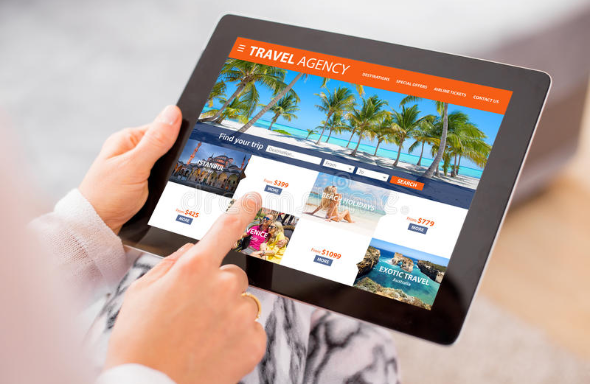
An Expedia listing is an online profile that accommodation providers create on Expedia.com to secure bookings from travellers using the platform. It is sometimes referred to as an ‘ad on Expedia’ within the small hotel community, though it functions as far more than an advertisement — it’s your property’s storefront on one of the world’s busiest travel marketplaces.
An Expedia property listing is one of the most important booking channels available to independent hoteliers. As one of the world’s biggest online travel agencies (OTAs), Expedia attracts more than 10 million daily visitors and processes over 1 billion searches per month. In 2024, lodging bookings through Expedia Group generated nearly $11 billion — roughly 80% of the company’s total global revenue. A huge proportion of the world’s travellers search for their next stay on Expedia every single day.
The value of listing your property on Expedia
For independent hoteliers, a listing on Expedia means your property gets in front of millions of potential guests — incredible exposure, all of whom can book a room instantly.
But how do you get listed on Expedia? How much does it cost? How long does approval take? And how do you manage and maximise your listing once you’re live? This guide covers all of that and more.
How much does Expedia charge to list a property?
Like almost all booking channels, there is no upfront fee to list your property on Expedia. Creating a listing is free, which means you can get in front of Expedia’s enormous audience without any initial investment.
What commission does Expedia charge?
Expedia charges an 18% commission on confirmed bookings as its standard rate. This is broadly consistent across most markets, though your specific rate can vary depending on factors such as your property type, location, and the terms you negotiate with Expedia directly. In general, commission rates range between 10% and 30%.
There are also optional paid promotional tools — such as sponsored listings and display advertising — that can increase your property’s visibility within search results. These incur additional charges, but many hoteliers find the investment pays for itself through increased bookings.
Should I list my property on Expedia?
The short answer is yes. Expedia’s sheer scale as an OTA makes it hard to ignore. And it’s not just Expedia.com you’re signing up for.
The Expedia Group is far larger than a single website. It includes Hotels.com, trivago, Wotif, Vrbo, Hotwire.com, Orbitz, Travelocity, and many more. When you create an Expedia listing, your property is automatically distributed across 200+ booking sites within the group — giving you a level of reach that would be impossible to replicate manually.
For independent hoteliers and small accommodation providers, that breadth of distribution makes Expedia one of the single biggest opportunities available.
How to get listed on Expedia
The process for listing your property on Expedia is straightforward, though it is thorough — Expedia needs to verify that new listings are genuine before they go live. Here’s how it works across four steps.
Expedia listing step 1: Describe your property

When you navigate to the List your property page, Expedia will ask for some basic details to begin the vetting process:
- The full address of your property
- The property type (hotel, B&B, apartment, vacation home, etc.)
- The number of individual, bookable spaces
- Your contact details for ongoing correspondence
Once Expedia has reviewed these details, they’ll invite you to proceed via an email link.
Expedia listing step 2: Sign up to create an account

The link Expedia sends will ask you to sign into Expedia Partner Central. Here you can review all terms and conditions — including payment options and commission rates — before committing. If your region has any regulatory or tax requirements, you’ll be asked to enter them at this stage.
Expedia listing step 3: Set up your profile
Once you’ve accepted Expedia’s terms and provided the necessary information, you’ll be guided through building your listing. Expedia walks you through each section — and if you don’t have everything on hand, you can always add it later.
You’ll be asked for:
- Room details: layout, beds, in-room amenities
- Property amenities: Wi-Fi, parking, pool, restaurant, accessibility features
- Room rates
- Photos
- Applicable fees, deposits and policies
- Availability

Generally this process takes around half an hour, though that depends on the size of your property.
Expedia listing step 4: Begin taking bookings
After Expedia reviews your completed listing, you’ll receive approval and go live. Expedia listing approval typically comes through within 24 hours of submitting a complete profile. Once approved, guests can find and book your property directly on Expedia.com and across all 200+ Expedia Group sites.
How to add and edit details on your Expedia listing
Once you’re live, it’s worth revisiting your listing regularly to ensure it puts your property in the best possible light and remains accurate and up to date.
Log into your Expedia account and work through each section:
- Update your rates and availability
- Add, arrange, caption and tag photos
- Review property facilities and room amenities
- Review your property description to ensure it’s comprehensive, accurate and compelling
- Use the preview function to check how your listing appears to potential guests before saving changes
How Expedia ranks hotel listings
Understanding how Expedia ranks properties in search results is one of the most important — and most overlooked — aspects of managing a successful listing. Expedia uses a combination of factors to determine where your property appears when a traveller searches. These include:
Review score and volume
Your guest review score is one of the most influential ranking signals on Expedia. Properties with higher scores and more reviews consistently appear higher in results. Actively encouraging guests to leave reviews and responding to them (positive and negative) signals that you’re an engaged, quality host.
Instant Book activation
Expedia strongly favours properties that allow travellers to book immediately without a manual approval step. If you don’t enable Instant Book, you’ll be pushed down the results. For most small properties, enabling this is a straightforward win.
Content completeness
Expedia’s algorithm rewards listings that are fully filled out. A complete listing — high-quality photos, detailed amenity lists, accurate room descriptions, a full policy set — signals quality and gives travellers everything they need to convert. Incomplete listings rank lower and convert worse.
Competitive pricing
Expedia monitors pricing across the platform and will surface properties offering strong value. Keeping your rates competitive — especially during high-demand periods — directly affects both your ranking and your conversion rate. Rate parity across your channels also matters; Expedia may deprioritise properties where it finds cheaper rates elsewhere.
Response rate and speed
How quickly and consistently you respond to guest enquiries factors into your standing on the platform. A high response rate signals reliability to both Expedia’s algorithm and potential guests.
Cancellation policy flexibility
Properties offering flexible cancellation options tend to rank higher and convert better, particularly in markets where travel uncertainty is a factor. Offering a mix of refundable and non-refundable rate plans gives travellers the choice they want and can improve your search position.
Booking acceptance rate
If you’re manually reviewing booking requests (rather than using Instant Book), declining a high proportion of requests will hurt your ranking. Expedia tracks your acceptance rate as a measure of availability reliability.
Tips for getting more bookings on your Expedia listing
Once you’re set up and live, here are the key levers for driving more bookings through the platform.
- Activate Instant Book — Expedia prioritises properties that let travellers book straight away. Enabling this is one of the fastest ways to improve your visibility in search results.
- Invest in professional photography — Modern phone cameras are impressive, but a professional photographer will consistently produce images that convert better. Your hero photo in particular can make or break a booking decision.
- Encourage and respond to reviews — Reviews are the lifeblood of OTAs. Encourage guests to leave them after their stay, and respond to every review — positive or negative. How you handle criticism tells prospective guests a great deal about how you run your property.
- Complete your listing fully — Fill in every field Expedia offers: amenity lists, room type details, property description, policies, local area information. A richer listing ranks higher and converts better.
- Offer competitive rates — Monitor competitor pricing and ensure you’re offering genuine value. Consider special deals, packages, or early-bird discounts to capture bookings during quieter periods.
- Use Property Analytics in Partner Central — Expedia’s analytics tools surface specific recommendations to improve your visibility, pricing, and conversion. Review these regularly.
- Utilise Expedia’s promotional tools — From sponsored listings to display advertising, Expedia offers paid options to increase your reach. These can be effective when used at the right times (new listing launch, low season push, event periods).
- Build a broader online presence — Long-term success means reducing over-reliance on any single OTA. Optimise your direct booking website, build your social media presence, and work toward earning a growing share of commission-free direct bookings.
How to manage your Expedia property listing
Day-to-day management of your Expedia listing is done through Expedia Partner Central — the dashboard that gives you control over rates, availability, photos, reviews, analytics, and more.
But most hoteliers don’t restrict themselves to Expedia alone. If you’re also listing on Booking.com, Airbnb, Agoda, and other OTAs, managing each through its own separate dashboard is time-consuming and error-prone — and leaves you exposed to double bookings.
The solution is a channel manager.
A channel manager is a single portal through which you can manage every one of your online listings simultaneously. Update your pricing across all channels in a few clicks. Have availability automatically synchronised the moment a new booking comes in — no matter which channel it comes from. A channel manager replaces the need to log into Expedia Partner Central, Booking.com’s extranet, and every other dashboard separately.
Whether you use three OTAs or thirty, a channel manager gives you the control to optimise your listings, eliminate double bookings, and grow your revenue.
Maximise your Expedia listing with Little Hotelier
Small, independent hoteliers face real competition from large multinational chains with entire teams managing their booking channels. The right technology levels the playing field.
The Little Hotelier channel manager helps independent hoteliers simplify their operations and get more bookings. Connect with 450+ booking channels — from the biggest OTAs like Expedia and Booking.com to the most niche platforms — with pricing, availability, and content updates manageable in just a few clicks.
- One portal for all your channels: Connect with 450+ booking channels from a single dashboard
- One login, one calendar: No more jumping between dashboards — everything you need is in one place
- Automatic availability updates: The moment a booking comes in, Little Hotelier updates availability across every connected listing — eliminating double bookings instantly
The results speak for themselves: our channel manager can generate up to 46% more bookings and deliver an ROI of 63x.
Frequently asked questions about Expedia listings
Is it free to list my property on Expedia? Yes — there is no upfront cost to create an Expedia listing. Expedia makes its money through commission charged on bookings made through the platform.
What commission does Expedia charge? Expedia’s standard commission rate is 18% per confirmed booking. Rates can range from 10% to 30% depending on your property type, location, and any negotiated terms. There are also optional paid promotional tools available at additional cost.
How long does it take to get approved on Expedia? Once you’ve submitted a complete listing profile, Expedia typically approves and publishes your listing within 24 hours.
How do I improve my ranking on Expedia? The most impactful factors are: enabling Instant Book, maintaining a high guest review score, keeping your listing fully complete, and offering competitive rates. Response rate, cancellation policy flexibility, and booking acceptance rate also influence your position in search results.
What is Expedia Partner Central? Expedia Partner Central is the management dashboard where you control every aspect of your Expedia listing — rates, availability, photos, policies, analytics, and promotional tools. It’s your main interface for day-to-day listing management.
Can I manage my Expedia listing alongside other OTAs? Yes — and the most efficient way to do it is with a channel manager. Rather than updating each OTA separately, a channel manager lets you control all your listings from one place, with automatic availability syncing across every connected channel.
What happens if a guest cancels their Expedia booking? Expedia allows you to set your own cancellation policy when building your listing. You can offer flexible (fully refundable) rates, non-refundable rates, or a combination of both. More flexible policies tend to improve conversion rates and can positively affect your ranking, but non-refundable options help protect your revenue. The best approach is to offer both and let guests choose.
Does Expedia list my property on other sites too? Yes. When you create an Expedia listing, your property is automatically distributed across 200+ booking sites within the Expedia Group, including Hotels.com, Wotif, Orbitz, Travelocity, and Hotwire.com.

By Dean Elphick
Dean is the Senior Content Marketing Specialist of Little Hotelier, the all-in-one software solution purpose-built to make the lives of small accommodation providers easier. Dean has made writing and creating content his passion for the entirety of his professional life, which includes more than six years at Little Hotelier. Through content, Dean aims to provide education, inspiration, assistance, and, ultimately, value for small accommodation businesses looking to improve the way they run their operations (and live their life).
Table of contents


Free ebook
The ultimate A-to-Z guide to Little Hotelier
“It's been a huge time-saver for me. It's convenient to swipe through all the rooms and make a new booking. I'm having a fantastic time with it.”
Operational Manager, Samui Bayside